Søcle Studio, the AI that edits your website
In Søcle Studio, ask for a change to your website in writing, check the preview, then publish or cancel. Also works from Claude and ChatGPT.
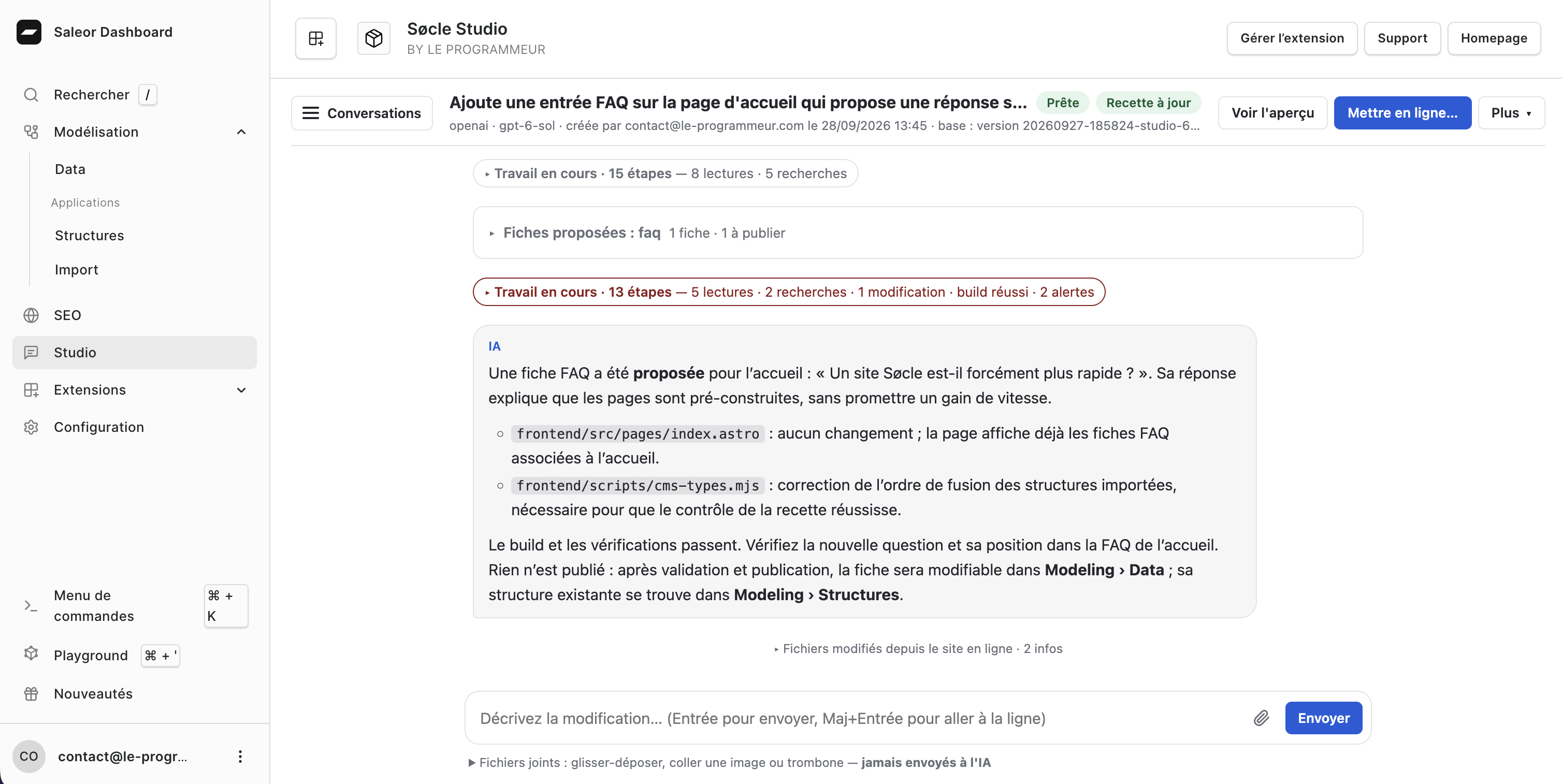
Søcle Studio is a chat built into your website's admin area. You write what you want to change; the AI handles it on a copy, and you then decide whether to publish or not.
What you can ask for
Everyday changes, as you would ask a developer:
- “Change the text on the Services page and add our new prices.”
- “Create a Careers page with a link in the menu.”
- “Add a newsletter” or “an FAQ I can edit myself”: the AI applies the matching recipe.
- “My pages' Google titles are too long, suggest better ones.”
- “Put this photo at the top of the About page”, with the image attached.
How a request works
- A working copy. Each conversation opens a private copy of the website: the live website is never changed directly.
- A preview. You see the result, restricted to your authorised addresses, and you can keep making changes. A temporary sharing link is available to get someone else's approval.
- Publish or cancel. Publishing rebuilds the website and checks it; if it fails, nothing goes online. Discarding deletes the copy.
- Going back. Published versions are kept: an older version can be restored if needed.
What makes the Studio different from a simple chatbot
- It knows your website. You can leave it permanent notes: tone, house rules, what must never change.
- It follows rules. It only changes pages, design and data structures; it never invents figures, customer reviews or descriptions.
- It also works on its own, if you want. Recurring tasks can be scheduled, for example every Monday. By default, they prepare the changes and wait for your approval.
- Your files stay with you. Attachments are stored on the website; the AI only receives their address and description.
AI, but not without a human
Your website is first designed and checked by a developer: the Studio starts from a clean base, built on the Søcle design system. After that, if a request goes beyond what you want to hand over to the AI, human support is available as an option.
The limits of the built-in AI, and how to go further
The AI built into the Studio is designed for everyday changes, and its use is limited. For bigger jobs (redesigning a page, a new feature, a long working session), connect your own Claude or ChatGPT through Søcle's MCP server: same copies, same previews, same “Publish” button, with the power of your own subscription. See how to connect Claude or ChatGPT.
Want to try it? The Studio can be tested on request: ask for a trial.
You keep the decision
The assistant prepares the changes on a copy; you review them before publishing.
-
Ask
Describe your change
-
Preview
Check the preview
-
Decide
Publish or ask for a correction
Frequently asked questions
Do I need to know how to code to use Søcle Studio?
No. You write your request in everyday language, as you would write it to a developer. You judge the result from the preview, not from the code.
Can a mistake by the AI break my live website?
No. The AI works on a copy. On publication, the website is rebuilt and checked; if a check fails, nothing is published. And a previous version can always be restored.
Are my attached documents sent to the AI?
No. Attached files are stored on your website; the AI receives their address and description, never their content.